
What Is Responsive Web Design and Why It Matters
If a CEO opens your site on an iPhone while sitting in a Sheikh Zayed Road traffic jam and the text looks tiny or…
Read the guideGuides
A practical guide to right to left layout, Arabic fonts, hreflang, transcreation and the CMS setup that keeps a bilingual UAE website working after launch.
A proper Arabic and English website gives each language its own URL, sets dir="rtl" and lang="ar" on the Arabic pages, and uses a layout built with CSS logical properties so it mirrors cleanly rather than being patched. The Arabic copy is written for Arabic readers, not pushed through a translation widget, and every form, number, icon and email follows the same rules. For a Dubai or UAE business, that is the difference between a site Arabic speakers trust and one they leave.
In short:
dir attribute, not only in CSS.The UAE government’s own fact sheet states that Arabic is the official language of the UAE, and notes that road signs and signs on commercial outlets appear in Arabic and English. Many of the buyers a Dubai business wants to reach, from procurement teams to Emirati families choosing a school or clinic, expect to read in Arabic, while a great deal of daily business runs in English. A bilingual site is therefore not a nice extra for many sectors; it is how you speak to both halves of your audience without making either feel like an afterthought.
Arabic runs in the opposite direction, uses a cursive script, and changes how navigation, forms and even icons behave. A site designed only for English shows that the moment you switch languages.
The W3C’s internationalisation guidance is direct: if the overall document direction is right to left, add dir="rtl" to the html tag, and do not use CSS to apply base direction in HTML pages. MDN makes the same recommendation, noting that the lang attribute declares the language but does not imply the base direction. So an Arabic page needs both: <html lang="ar" dir="rtl">.
The reason given is practical. Direction is part of the meaning of the text, so it belongs in the markup, where it still works if a stylesheet fails to load or a reader view strips the design away. MDN also notes that when a table has dir set to rtl, its column order runs from right to left, which is exactly what an Arabic reader expects from a timetable or a comparison table.
Arabic pages in the UAE are full of English: brand names, email addresses, product codes, a customer’s name typed into a form. When text of unknown direction is inserted into a page, the W3C recommends wrapping it in a bdi element, or adding dir="auto" to an element that already wraps it tightly. MDN adds that auto is meant for data with unknown directionality, such as user input. Without this, punctuation and numbers next to an English phrase can jump to the wrong side of the sentence, which is one of the most common bugs we see on Arabic pages.
MDN describes CSS logical properties as a way of controlling layout through logical rather than physical direction. Instead of margin-left you write margin-inline-start; instead of left you write inset-inline-start; text-align: start replaces text-align: left. In English, start means left. On a page with dir="rtl", start means right, and the layout mirrors without a second stylesheet.
From a development perspective, this decides whether Arabic is cheap or expensive to maintain. A theme full of physical left and right rules needs an override file that drifts every time the English design changes. A theme written with logical properties needs only small, deliberate exceptions.
Arabic is not a translation layer. It is a second reading direction, and the build has to be designed for it from the first line of CSS.
The W3C’s Arabic layout requirements document opens with the point that shapes everything else: Arabic script is a cursive writing system, where letters join to their neighbours. That has direct consequences for design.
Load only the weights you use. Because Arabic letters take different shapes depending on their position in a word, Arabic fonts can be heavier than the Latin files you are used to, and a bilingual page that loads four weights of two families will feel slow on mobile data.
Google’s guidance is to use different URLs for each language version of a page rather than cookies or browser settings to switch the content. It also advises against automatically redirecting visitors from one language version to another, and suggests linking to the other language so people can choose. For most UAE businesses, a subfolder such as /ar/ on the same domain is the simplest structure: Google lists subdirectories as easy to set up and low maintenance, and URL parameters such as ?lang=ar as not recommended.
| Approach | Example | What to know |
|---|---|---|
| Subfolder | example.ae/ar/ | One domain, one host, easiest to manage. Our usual recommendation for a single market business. |
| Subdomain | ar.example.ae | Easy to set up and can sit on a different server, but it splits the site into two properties to manage. |
| Separate domain | example.com and example.ae | Clear signal, but more infrastructure. Usually only worth it when the markets are genuinely different. |
| URL parameter | example.ae/?lang=ar | Listed by Google as not recommended. |
| Cookie or browser setting | Same URL, content swaps | Google advises against it. Search engines cannot reliably see the Arabic version. |
Hreflang annotations tell Google which pages are alternate language versions of each other. Google documents three ways to add them: link elements in the page head, HTTP headers, or an XML sitemap. Whichever you choose, a few rules apply.
ar or ar-AE. A country code on its own is not valid.x-default value marks the fallback page for visitors whose language does not match, and suits a language selector page.lang attribute, to decide what language a page is in. The Arabic page must actually be in Arabic.Google’s same guidance warns that translating only the boilerplate of a page while leaving the main content in one language can create a bad user experience, and it discourages side by side translations on one page. A page with an Arabic menu and English body copy is not an Arabic page.
Translation carries the meaning of each sentence across. Transcreation rewrites the message for the reader, keeping the intent while changing phrasing, examples, tone and sometimes the offer itself. Marketing pages need transcreation. Terms and conditions, privacy notices and technical specifications need careful, accurate translation, ideally checked by someone qualified.
A useful way to brief the work:
| Content | Approach | Who should review |
|---|---|---|
| Home page, service pages, ads, landing pages | Transcreation | A native Arabic copywriter who knows the sector |
| Navigation, buttons, form labels, error messages | Short, consistent translation from a glossary | Copywriter plus a test on the live form |
| Legal pages and policies | Faithful translation | A legal translator or your adviser |
| Meta titles, descriptions, alt text | Written for Arabic search behaviour | Whoever handles your Arabic SEO |
Keep a shared glossary of product and service names from day one, or the same service ends up with three Arabic names across the site.
Forms are where bilingual sites most often break, and they are where your enquiries come from. On the Arabic version, labels, placeholders, error messages, the consent line, the success message and the confirmation email all need to be in Arabic. The field order should mirror, with labels on the right.
Some fields should stay left to right. MDN notes that input type="tel" uses left to right direction, which keeps phone numbers readable. Email and website fields generally hold Latin text and behave better when forced left to right too. Name and message fields should accept both scripts, which is where dir="auto" earns its place.
The W3C layout requirements explain that in all Arabic numeral systems, numbers are written with the highest digits on the left, even though the script runs right to left. Apple’s guidance puts it plainly: don’t reverse the order of numerals in a specific number such as a phone number or card number. Apple also notes that Arabic text might use either Western or Eastern Arabic numerals, and that usage varies between countries and regions. Decide which your site uses, write it into the glossary, and keep it consistent across prices, phone numbers and statistics.
Format dates for the reader rather than hard coding an English pattern, and if you refer to Hijri dates for events or deadlines, state which calendar each date uses. Store dates in a neutral format and format them only at display time.
Not everything should flip. Apple’s human interface guidelines give a clear set of rules that work well on the web too.
The CMS decides how easily your team keeps both languages in step after launch. Whatever platform you choose, check that it can link each page to its translation, give each language its own URL, output hreflang, translate menus, widgets and interface strings, and switch the page direction automatically.
On WordPress, the core function is_rtl() determines whether the current locale is right to left, which a theme can use to adjust its output. Multilingual support comes from plugins. WPML, for example, documents three URL formats: languages in directories, a different domain or subdomain per language, or the language added as a parameter. Given Google’s guidance above, directories are the natural choice for most UAE sites. Polylang is another widely used option; compare the current documentation of each before committing, since features and licensing change.
For custom or headless builds, the same checklist applies, but you build the language routing, hreflang output and direction switching yourself. That suits large platforms with complex content. For a typical company site, a well built WordPress website with a proper multilingual setup is usually the more practical route, and custom development is best kept for cases where the content model genuinely needs it.
A dropdown that machine translates the page in the browser gives no separate Arabic URL, no hreflang, often no direction change, and Arabic that native readers spot at once. Google’s spam policies list automated transformations such as translating, where little value is provided to users, as scaled content abuse when used to generate pages at volume.
Setting direction: rtl on the body and hoping for the best. Direction belongs in HTML, and physical margins, floats and positioned elements still point the wrong way.
Approving mockups with English text and discovering later that Arabic headings wrap to three lines or the menu no longer fits. Ask to see key templates with real Arabic sample copy before development begins.
English pages point to Arabic, Arabic pages do not point back, or the Arabic URLs redirect to the English home page.
English title tags on Arabic pages, empty alt text, and an Arabic sitemap nobody submitted. Each language needs its own on page work, which is part of any SEO service worth paying for.
lang="ar" and dir="rtl" on the html element.x-default.Planning Arabic from the first workshop is how we approach bilingual builds at Codeeo. The HMS FMCE site in our portfolio, for a Dubai rehabilitation and physiotherapy centre, is one example of an English and Arabic site with proper right to left support. If you are weighing a new build or adding Arabic to an existing site, our website design team in Dubai can scope it and send a fixed written quote, scoped to you. If the current site cannot take Arabic cleanly, a website redesign may be the more honest answer.
Straight answers
Yes, and for many UAE businesses that is a sensible plan. The condition is that the first build is ready for it: CSS written with logical properties, a CMS that can hold linked translations, a URL structure with room for an /ar/ folder, and a design that has been checked with Arabic sample text. Adding Arabic to a site that was never prepared for it usually means rebuilding the templates.
Google says it detects the language of a page with its own algorithms rather than the hreflang or lang attributes. Hreflang tells Google which pages are translations of each other, so it can show the right version to the right searcher. It is strongly recommended for any bilingual site, but it is not a substitute for real Arabic content on its own URL.
Both are in use. Apple's design guidance notes that Arabic text might use either Western or Eastern Arabic numerals, and usage varies between countries. Pick one convention per site, apply it consistently, and never reverse the digit order of a phone number, price or reference number.
For a public website, rarely. Machine output can be a useful first draft for a translator, but publishing it unreviewed tends to produce awkward Arabic that native speakers notice immediately. Google's spam policies also list automated transformations such as translating, where little value is provided to users, as an example of scaled content abuse.
Yes. Each language version is a separate page with its own title tag, meta description, headings, image alt text and structured data. Written in Arabic by someone who understands how your customers search, not copied from the English page through a translation tool.
Start with the pages that bring in enquiries: home, the main service or product pages, contact, and any landing page used in Arabic ad campaigns. Keep each translated page complete. Google's guidance warns that translating only the boilerplate while leaving the main content in one language can create a bad user experience.
Sources
Fixed price, in writing
Got it. Your quote is being written now.
In business hours you will have it within 45 minutes. Check your inbox for the confirmation.
Keep reading
If a CEO opens your site on an iPhone while sitting in a Sheikh Zayed Road traffic jam and the text looks tiny or…
Read the guide
Have you ever wondered what is backlinks in seo example? Imagine a backlink as a high five from one website to another. When a…
Read the guide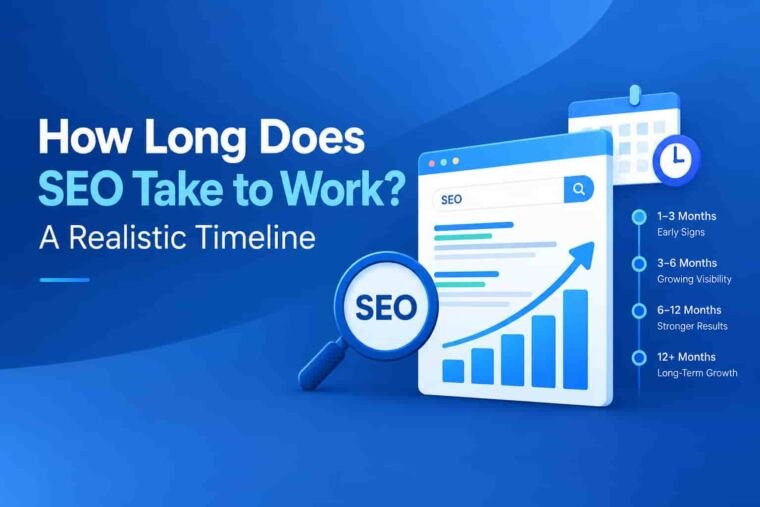
Understanding how search engine optimization operates helps you plan your business growth effectively. Many business owners ask how long does seo take to show…
Read the guide